
Choosing the right web hosting is one of the most important decisions when starting a website.
Whether you’re building a WordPress blog, affiliate website, small business website, online store or personal website, your hosting provider becomes the foundation of your online presence.
But there is one feature that many beginners don’t think about until something goes wrong:
Automatic website backup.
Imagine spending months publishing articles, uploading images, installing plugins and customizing your website—and then losing important data because of a technical problem.
That’s why backup features matter.
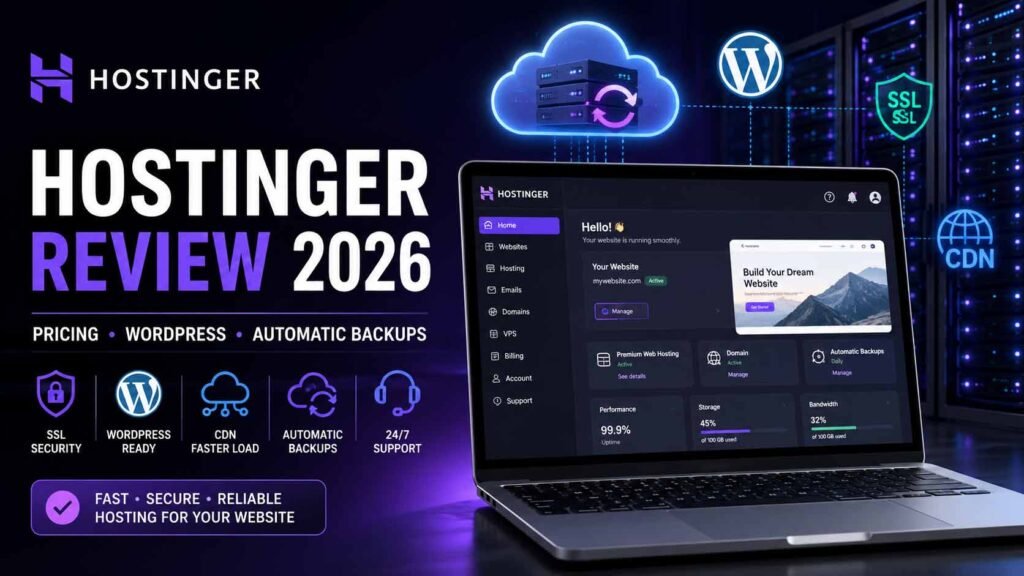
In this Hostinger review 2026, we’ll look at Hostinger’s current hosting plans, WordPress support, automatic backups, pricing, SSL, CDN, website migration, AI tools and other features to help you decide whether Hostinger is right for your website.
What Is Hostinger?
Hostinger is a web hosting company offering services for websites, WordPress websites, online stores and other web projects.
Its current hosting plans include features such as:
- WordPress hosting
- Free SSL
- Automatic backups
- CDN
- Website migration
- AI tools
- Ecommerce features
- Website builder
- 24/7 support
Hostinger currently promotes its hosting as a solution for beginners, creators, small businesses and larger projects.
Why Automatic Website Backup Matters
Your website isn’t just a collection of pages.
It can contain:
- Blog posts
- Images
- WordPress database
- Customer information
- Product information
- Plugin settings
- Theme customizations
- Contact forms
- Website configurations
If something breaks, having a recent backup can save you from rebuilding everything from scratch.
This is especially important for:
WordPress websites, affiliate websites, ecommerce stores, business websites and frequently updated blogs.
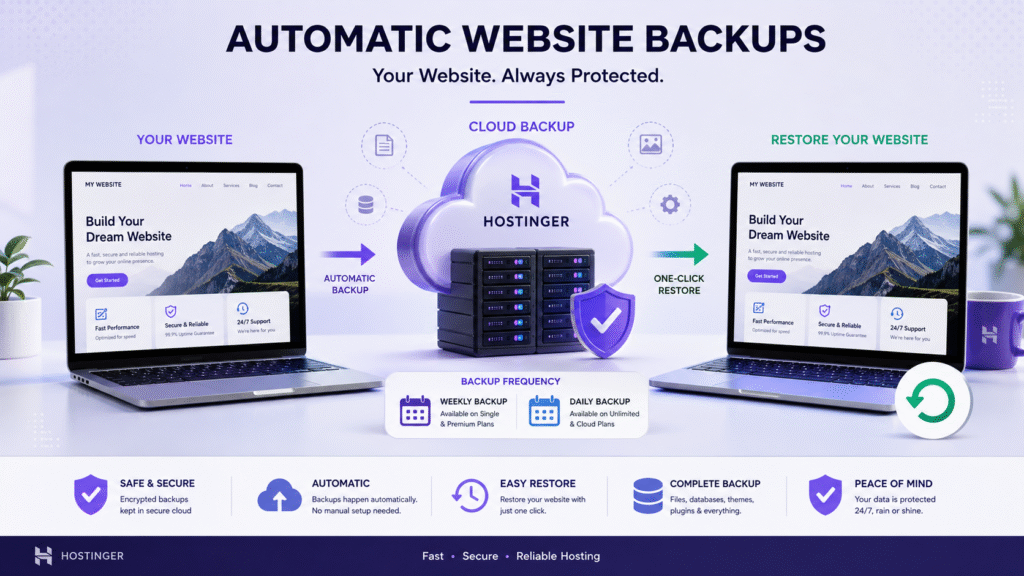
Hostinger currently includes automatic backups with its hosting plans, but the backup frequency depends on the plan.
Does Hostinger Offer Free Automatic Backup?
Yes—but there is an important difference between the plans.
Currently, Hostinger lists:
Single
- Free weekly backups
- 1 website
- 10 GB SSD storage
- Free domain
- CDN
- WordPress
- AI tools
Premium
- Free weekly backups
- 3 websites
- 20 GB SSD storage
- Free domain for 1 year
- CDN
- WordPress
- AI tools
Unlimited
- Daily backups
- Unlimited websites
- 50 GB NVMe storage
- CDN
- Ecommerce
- AI tools
Cloud Startup
- Daily and on-demand backups
- Unlimited websites
- 100 GB NVMe storage
- CDN
- Ecommerce
- AI tools
These are the current features shown on Hostinger’s pricing page and can change over time.
So if you’re specifically searching for free automatic backup hosting, pay attention to the exact plan rather than assuming every plan provides daily backups.
Hostinger Pricing 2026
Hostinger’s current promotional pricing is based on a 48-month term.
The pricing displayed on the current India page is:
| Plan | Current Monthly Equivalent | Websites | Backup |
|---|---|---|---|
| Single | ₹69/mo | 1 | Weekly |
| Premium | ₹149/mo | 3 | Weekly |
| Unlimited | ₹249/mo | Unlimited | Daily |
| Cloud Startup | ₹599/mo | Unlimited | Daily + On-Demand |
The total amount is paid upfront for the selected term; the displayed monthly figure represents the total plan price divided by the number of months. Renewal pricing is different.
Important: Hosting promotions and prices can change, so always check the current checkout page before purchasing.
Which Hostinger Plan Is Best?
The best plan depends on what you’re building.
Hostinger Single — Best for Beginners
If you’re launching your first website, blog or simple WordPress project, the Single plan may be enough.
It currently supports:
- 1 website
- 10 GB SSD
- Weekly backups
- WordPress
- CDN
- Free domain
- AI tools
This can be a reasonable starting point for someone who doesn’t need multiple websites.
Hostinger Premium — Best for Small Websites
Premium supports up to three websites and currently includes 20 GB SSD storage and free weekly backups.
It can make sense if you want to manage several small websites under one hosting account.
For example:
- Blog
- Business website
- Affiliate website
Instead of purchasing separate hosting accounts, you can manage multiple websites from one plan.
Hostinger Unlimited — Best for Multiple Websites
If you’re planning to host several websites, the Unlimited plan becomes more interesting.
Current features include:
- Unlimited websites
- 50 GB NVMe storage
- Daily backups
- CDN
- Ecommerce
- AI tools
- Unlimited mailboxes per website for the promotional period
For someone running multiple WordPress or affiliate websites, this can provide more flexibility.
Hostinger Cloud Startup — For Growing Websites
Cloud Startup is designed for websites requiring more resources.
The current plan includes:
- Unlimited websites
- 100 GB NVMe storage
- Daily and on-demand backups
- CDN
- Ecommerce
- AI tools
- More resources than the shared plans
This can be worth considering if you’re managing a growing business, ecommerce store or high-traffic website.
Hostinger WordPress Hosting
WordPress remains one of the most popular platforms for building websites.
Hostinger supports WordPress across its hosting plans and currently lists WordPress as one of the available website-building options.
This makes Hostinger suitable for:
- WordPress blogs
- Affiliate websites
- Business websites
- Portfolio websites
- Online stores
- News websites
- Course websites
For beginners, WordPress hosting can be easier than managing a server manually.
Hostinger Free SSL
Security is another important part of web hosting.
Hostinger currently includes SSL with its hosting plans.
SSL helps establish an encrypted HTTPS connection between the visitor and your website.
For a modern website, HTTPS is important for:
- Visitor trust
- Secure connections
- Website security
- Professional appearance
However, SSL alone doesn’t make a website completely secure.
You should still keep WordPress, themes and plugins updated.
Hostinger CDN
Hostinger also includes CDN features with its current hosting plans.
A CDN can help deliver website content efficiently to visitors in different locations.
This can be useful if your website targets visitors across the United States, India, Europe or other regions.
But remember:
Hosting + CDN ≠ automatically fast website.
Your website performance also depends on:
- Image optimization
- Theme
- Plugins
- Caching
- JavaScript
- CSS
- Database
- Page design
Hostinger Website Migration
Already have a website somewhere else?
Hostinger offers website migration services for supported websites.
This can be useful if you’re moving from another hosting provider and don’t want to manually migrate everything yourself.
For WordPress users, migration can involve moving:
- WordPress files
- Database
- Images
- Themes
- Plugins
- Website settings
Always check the current migration eligibility and requirements before starting the process.
Hostinger for Affiliate Websites
If you’re building an affiliate marketing website, hosting becomes particularly important.
Affiliate websites often contain:
- Product reviews
- Comparison articles
- Images
- SEO plugins
- Analytics
- Affiliate tracking
- Multiple landing pages
As your website grows, you may publish hundreds of articles and upload thousands of images.
That’s why automatic backup becomes increasingly important.
For a small affiliate website, weekly backups may be sufficient for some users.
For a frequently updated website, a plan with daily backups can provide more frequent restore points.
Hostinger for Bloggers
Bloggers can also benefit from automatic backups.
Think about a website with:
500 articles + 1,000 images + years of work.
You don’t want to lose that content because of a technical issue.
A backup system gives you another layer of protection.
If you’re publishing regularly, you should consider how frequently you want your backup points to be created.
Hostinger for Small Business
Small business websites often contain important information such as:
- Services
- Contact details
- Business information
- Images
- Customer forms
- Blog articles
- Product information
For these websites, reliable hosting and backups can be valuable.
Hostinger’s current plans also include support and website-building tools designed to simplify website management.
Hostinger Pros
✅ Automatic Backups
Depending on the plan, Hostinger provides weekly, daily or daily + on-demand backups.
✅ WordPress Support
Hostinger supports WordPress websites and provides WordPress-focused tools.
✅ Free SSL
SSL is included with the current hosting plans.
✅ CDN
CDN functionality is included in current plans.
✅ Multiple Websites
Higher plans support multiple or unlimited websites.
✅ AI Tools
Hostinger currently includes AI-related website-building and marketing tools in its plans.
✅ 24/7 Support
Hostinger currently advertises priority 24/7 expert support on its plans.
Hostinger Cons
No hosting provider is perfect.
Before purchasing, consider these points:
❌ Promotional Pricing Is Not Renewal Pricing
The introductory monthly equivalent can be significantly lower than the renewal rate.
For example, the current pricing page lists renewal prices separately.
❌ Backup Frequency Depends on Plan
If you specifically want daily backups, don’t choose a plan based only on the cheapest price.
❌ Website Speed Depends on Optimization
A slow WordPress website can remain slow even after changing hosting if the real problem is plugins, images or code.
❌ Long-Term Plans Are Paid Upfront
The advertised monthly amount is based on the total cost divided by the selected term.
Is Hostinger Worth It in 2026?
If your priorities are:
- Affordable hosting
- WordPress support
- Automatic backups
- SSL
- CDN
- Multiple website options
- AI tools
- Website migration
- 24/7 support
then Hostinger is worth considering.
The biggest thing to remember is to choose the plan according to your requirements.
If you only need one basic website, the entry-level option may be enough.
If you need multiple websites and daily backups, the Unlimited plan may make more sense.
If you have a growing or resource-intensive website, Cloud Startup provides a higher-resource option.
My Recommendation
For someone starting their first WordPress website:
👉 Single
Good starting point for one simple website.
For someone managing multiple small websites:
👉 Premium
Useful when you need up to three websites.
For someone running several websites and wanting daily backups:
👉 Unlimited
This is the plan I’d pay particular attention to because it currently includes unlimited websites and daily backups.
For a larger website or ecommerce project:
👉 Cloud Startup
It currently includes daily and on-demand backups with higher resources.
🚀 Check Current Hostinger Pricing
If you’re looking for WordPress hosting with automatic backups, you can check the current plans and features directly here:
👉 View Hostinger Plans & Current Pricing
The link above is an affiliate/referral link. If you purchase through it, I may receive a commission at no additional cost to you.
Frequently Asked Questions
Does Hostinger provide free automatic backups?
Yes. Current plans include automatic backups, but the frequency varies. Single and Premium currently list free weekly backups, while Unlimited lists daily backups and Cloud Startup lists daily and on-demand backups.
Which Hostinger plan has daily backups?
The current Unlimited plan includes daily backups, while Cloud Startup includes daily and on-demand backups.
Is Hostinger good for WordPress?
Yes. WordPress is supported across Hostinger’s current web hosting plans.
Is Hostinger good for beginners?
Hostinger offers a Single plan specifically positioned for beginners and simple projects.
Does Hostinger include SSL?
Yes, SSL is included with the current hosting plans.
Does Hostinger include a CDN?
Yes, the current hosting plans list CDN functionality.
Can I host multiple websites?
Yes. Premium currently supports three websites, while Unlimited and Cloud Startup support unlimited websites.
Is Hostinger good for affiliate marketing websites?
Hostinger can be suitable for affiliate websites, especially if you need WordPress, backups, CDN and the ability to host multiple sites.
Does Hostinger guarantee SEO rankings?
No. Hosting cannot guarantee Google, Bing, Yahoo, YouTube, Instagram or Facebook rankings or traffic.
Final Verdict
Hostinger is a strong option to consider if you want affordable web hosting with WordPress support, SSL, CDN and automatic backups.
The most important point is to look beyond the advertised monthly price.
Check:
- Number of websites
- Storage
- Backup frequency
- Renewal price
- Domain availability
- Email features
- CDN
- Support
- Ecommerce requirements
And if automatic backup is your main priority, pay particular attention to the difference between weekly and daily backups.
For a basic website, weekly backups may be enough.
For a frequently updated affiliate website or business website, daily backups can be more attractive.
For larger projects, daily and on-demand backups may provide additional flexibility.
Check the current Hostinger plans before purchasing because pricing and promotional offers can change.